

I had a request to supply a sample HTML page that would send a subscriber’s email address to ColdFusion without reloading the page. So I figured I’d post it here for any others looking for a simple example. This method uses jQuery, AJAX and a ColdFusion component.
index.html or index.cfm
<!DOCTYPE html>
<html>
	<head>
	</head>
	<body>
		<div id="subscribeContainer">
			<input type="email"><button type="button">Subscribe</button>
		</div>
		<script src="//ajax.googleapis.com/ajax/libs/jquery/2.2.2/jquery.min.js"></script>

		<script>
			(function($) {
				// bind the button with an event handler
				$('#subscribeContainer button').click( function(e) {
					// when button is pushed, POST data to remote ColdFusion component method
					$.post(
						'subscription.cfc',
						{
							method: 'subscribe',
							email: $('#subscribeContainer input').val()
						}
						)
						.done( function() {
							// everything worked
							$('#subscribeContainer').text('You have been subscribed.');
						})
						.fail( function() {
							// something failed
							$('
<span>There was an error subscribing.</span>').appendTo('#subscribeContainer');
						}
					);
				});
			})(jQuery);
		</script>
	</body>
</html>
subscription.cfc
component {

	remote void function subscribe( required string email ) {
		// call database insert method here
	}

}
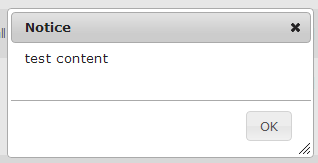 It was expected that the dialog would center itself to the browser window. However it appeared to be centering itself to the html element and scrolling the page to make it centered if the content was longer than the window height.
 Chris Tierney